How to Create Biodata for Marriage Online — Step-by-Step Guide 2026
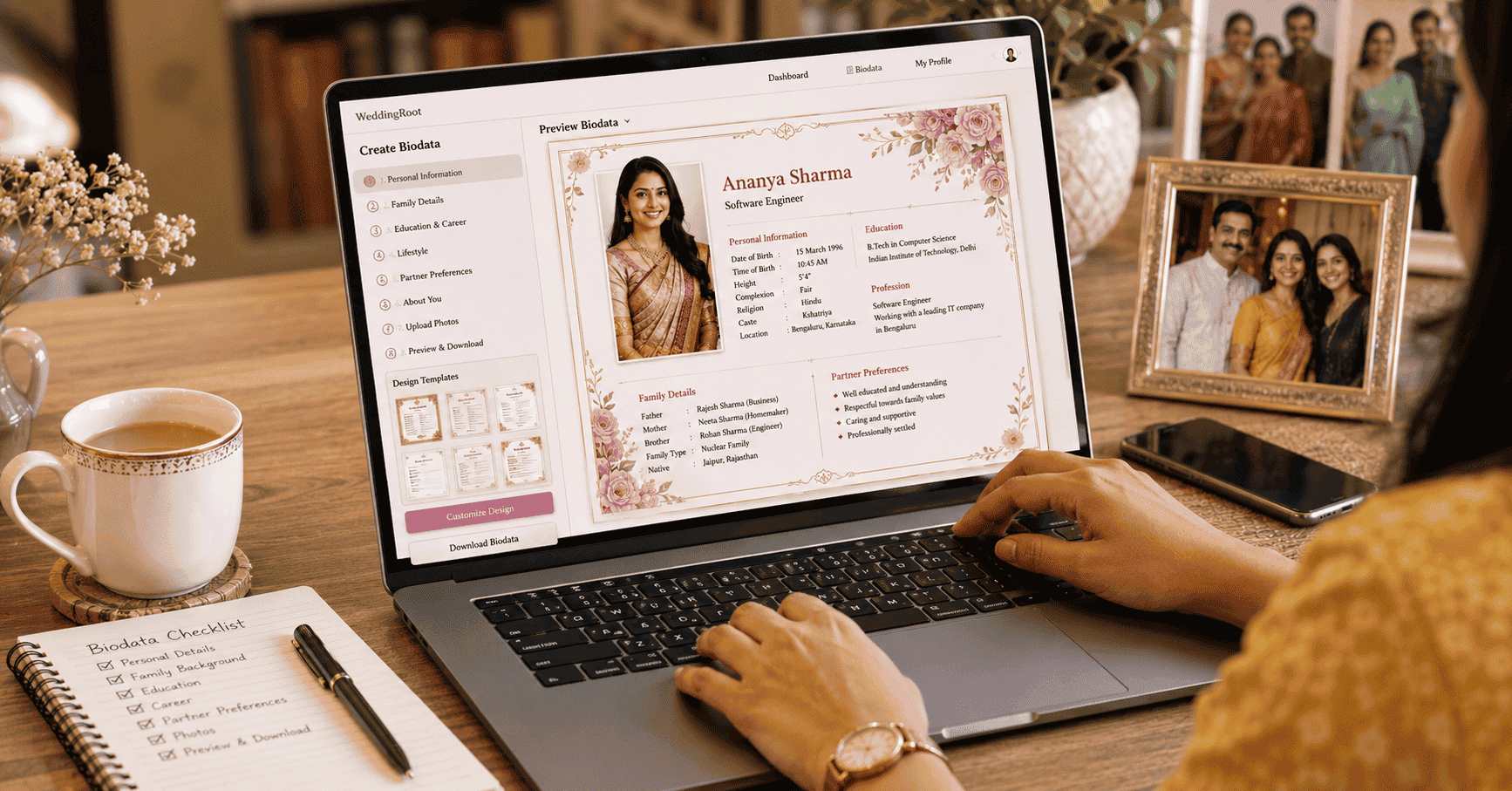
Creating a marriage biodata used to mean struggling with a Microsoft Word template, fighting with formatting, or paying a local printer to design something that looked generic. In 2026, free online tools let you create a professional, beautifully designed marriage biodata in under 30 minutes — no design skills required.
This guide walks you through the entire process, from choosing the right tool to downloading a print-ready PDF that makes a strong first impression.
What You Need Before You Start
Gather these details before opening any tool:
- Personal details (name, DOB, height, complexion, blood group)
- Astrological details (Rashi, Nakshatra, Gotra, Manglik status) — for Hindu families
- Educational qualifications (degree, institution, year)
- Professional details (job title, company, income)
- Family background (parents' names and occupations, siblings)
- A recent, high-quality photo (minimum 300×300 pixels)
- A 4–6 sentence "About Me" paragraph written in advance
- Partner expectations (age range, education, location preference)
- Contact details (phone, email)
Tip: Write your "About Me" paragraph in a notes app before starting the online tool. It's the hardest section to write on the spot. Take 10 minutes to write it thoughtfully before you begin designing.
Step 1 — Choose Your Online Tool
Option A — einvits.com
Built for Indian matrimony biodata. Indian design templates, astrological section built in, supports bilingual text. Free to create and download.
Option B — Canva
Search "marriage biodata" in Canva's template library. Hundreds of options — from traditional to modern. Highly customisable. Free plan covers most templates.
Option C — MS Word / Google Docs with a Template
Download a pre-formatted template from Google Docs template gallery or Word templates. Less visually polished but universally compatible.
Step 2 — Select the Right Template
Choose based on your community and preference:
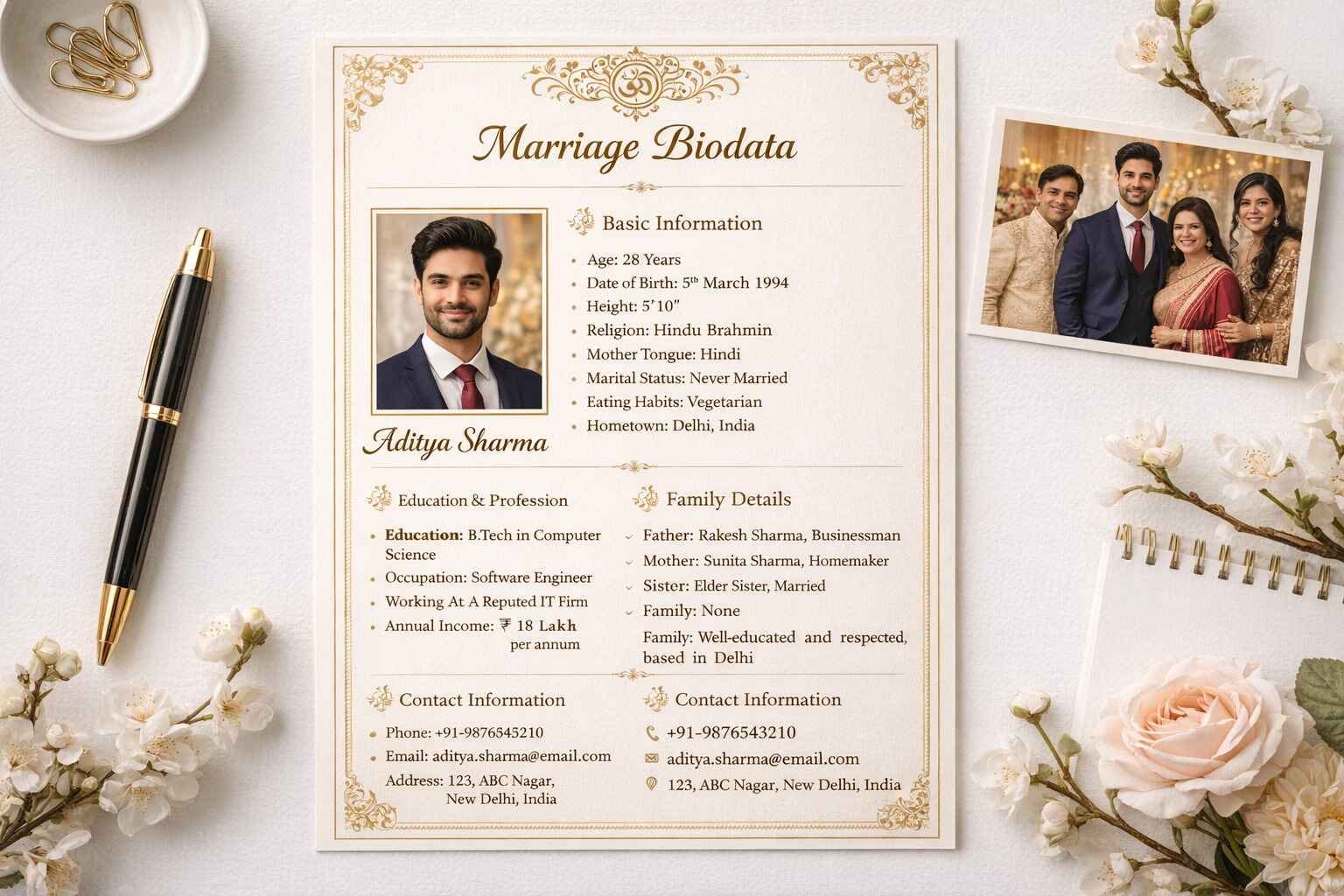
- Traditional (Hindu/religious): Red and gold with religious invocation and Ganesha motif
- Modern (urban/professional): Clean white with two-column layout and accent colour
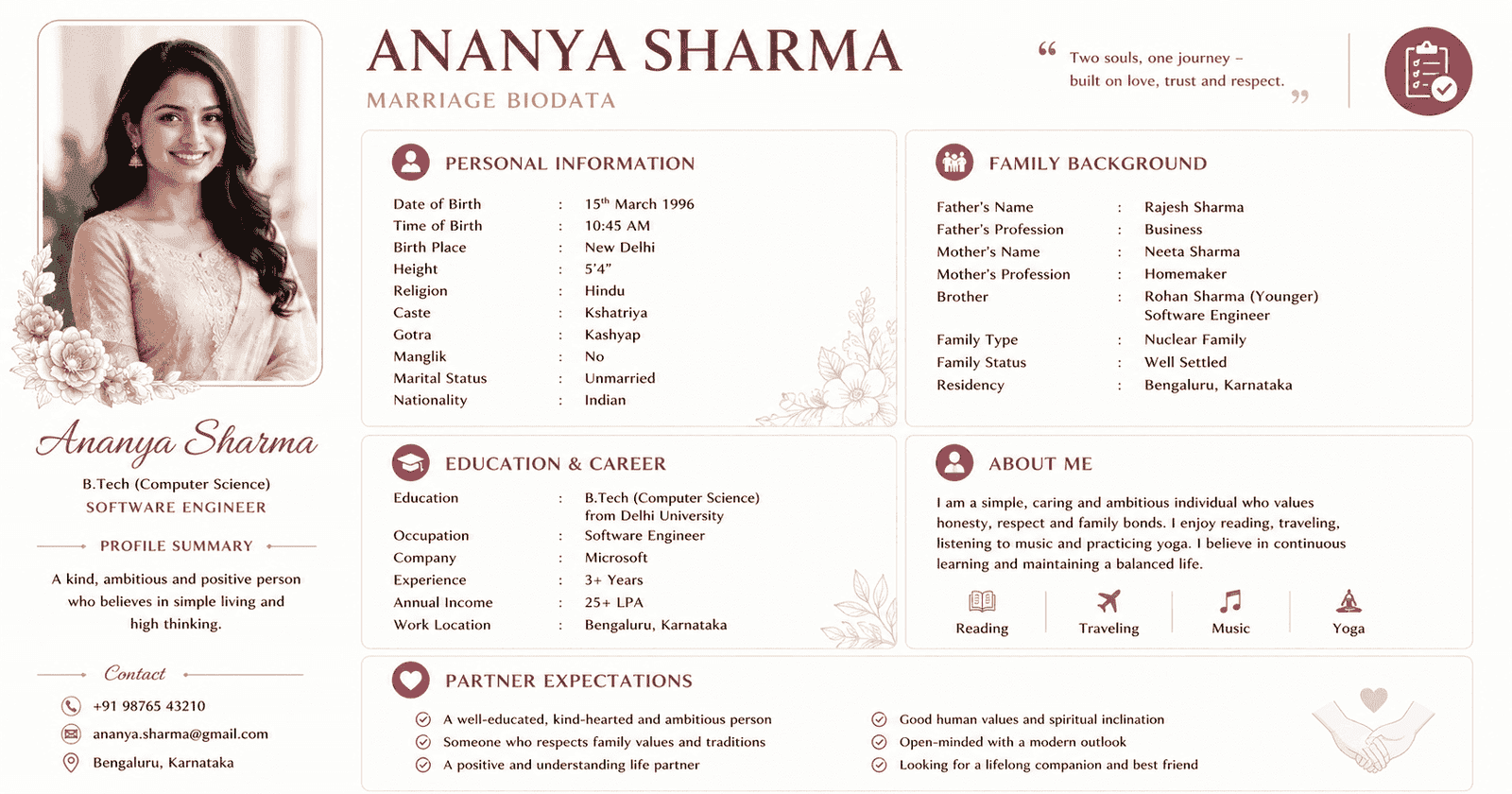
- Floral (for girls): Soft watercolour border with script name
- Minimalist: Plain, structured, text-focused
Preview the template on your phone screen — this is how most families will view it when shared digitally.
Step 3 — Fill in Your Details
Go section by section:
- Replace placeholder name with your full name in the header
- Fill personal details table (DOB, age, religion, caste, height, etc.)
- Add astrological details if applicable
- Enter educational qualifications (highest first)
- Add professional details with income
- Fill family background (father, mother, siblings)
- Upload your photo — ensure it's recent and clear
- Paste your pre-written "About Me" paragraph
- Write partner expectations
- Add contact details
Step 4 — Customise Design
Make it yours:
- Adjust font size — name should be largest, then section headings, then body text
- Change colours to match your preferred palette
- Add or remove decorative elements as needed
- Ensure your photo is cropped correctly and not distorted
- Check that text doesn't overflow into margins
Step 5 — Review and Proofread
The most important step. Check:
- Name spelling — in the header AND in the personal details section
- Date of birth — correct year
- Age — correctly calculated for 2026
- Astrological details — Manglik status, Rashi, Nakshatra are accurate
- Income figure — current and accurate
- Contact number — correct and working
- Email — a dedicated matrimony email (not your work email)
- Photo — recent, clear, appropriate
Key Takeaway: A single error in the biodata — wrong DOB, incorrect Manglik status, wrong income — can destroy credibility and create distrust before the first meeting. Proofread three times. Then ask a parent to proofread once more.
Step 6 — Download & Save
Download as:
- PDF — best for sharing digitally and printing. Preserves formatting on all devices.
- JPG/PNG — good for WhatsApp sharing but slightly lower quality for print
- DOCX — only if the family requests an editable version (rare)
Save to a dedicated folder on your phone/computer — "Matrimony Biodata" — so you can find it instantly when needed.
Step 7 — Share Strategically
- WhatsApp: Share PDF directly; avoid compressing to image (quality loss)
- Matrimonial platforms: Upload both PDF and the profile photo separately
- Email: Attach PDF with a brief, warm introductory message
- Physical print: Print at 300 DPI on good quality paper (80gsm or above)
Create Your Own Invitation in Minutes
Create a beautiful, professional marriage biodata on einvits.com in minutes. Traditional, modern, and floral templates available for boys and girls. Free to customise and download as PDF.
Get Started FreeFinal Thoughts
Creating a marriage biodata online in 2026 is faster, easier, and more beautiful than ever before. The tools are free, the templates are professional, and the process takes under 30 minutes when you come prepared. The effort you invest in your biodata is the first signal you send to a potential match's family about how seriously you take this journey. Make it count.