How to Send Wedding Invitations on WhatsApp Properly — Complete Guide 2026
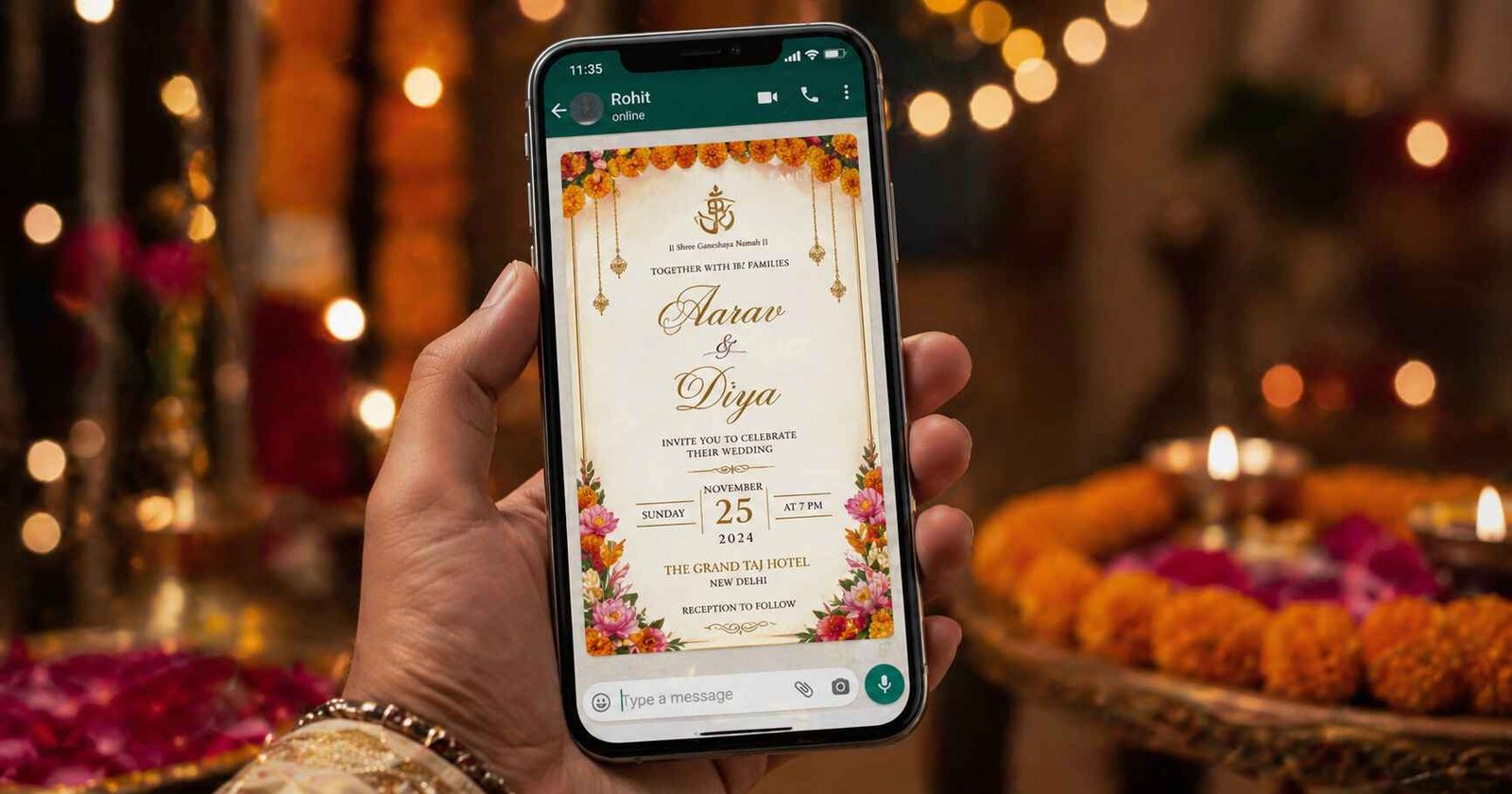
Most Indian couples today send their wedding invitations on WhatsApp. It's fast, personal, and reaches everyone. But there's a right way and a wrong way to do it. Done poorly, your invitation feels like spam. Done well, it feels as warm and personal as handing someone a card at their door.
This guide covers everything you need to send wedding invitations on WhatsApp properly — from the message format and sending strategy to etiquette, RSVP tracking, and follow-up.
Step 1 — Prepare Your Invitation Assets
Before sending a single message, have these ready:
- Invitation image/video — your designed card (under 16MB for video, under 5MB for image)
- Text message — a concise, warm message with all key details (see template below)
- Google Maps link — for your ceremony and reception venue
- RSVP contact — phone number or form link for confirmations
- Guest list — sorted into categories (close family, extended family, friends, colleagues)
Step 2 — Write Your WhatsApp Message
Your text message should accompany every invitation card. Never send just the image — always add context. Here are two templates:
Formal Template
Dear [Name],

With the blessings of God and our families, we joyfully invite you
to the wedding of our daughter/son:

💍 Priya Sharma weds Arjun Mehta

📅 Sunday, 22nd February 2026
⏰ Ceremony: 6:30 PM | Reception: 8:00 PM
📍 The Taj Mahal Hotel, Mumbai
🗺 [Google Maps link]

Your presence will truly bless this occasion.

To RSVP or for any queries:
📞 +91 98765 XXXXX

Warm regards,
The Sharma & Mehta Families
Casual Template (for friends)
Hey [Name]! 🎊

It's happening — Priya & Arjun are getting married!

📅 22nd Feb 2026
📍 Taj Hotel, Mumbai | 6:30 PM
🗺 [Maps link]

Check the card above for all details.
Please let us know if you can make it!
RSVP: +91 98765 XXXXX

Can't wait to celebrate with you! 💛
Tip: Personalise the greeting — use the person's name, not "Dear Guest." A message that starts with someone's name is 3x more likely to be read completely. If you're sending to 200 people, it's worth the extra effort for at least close family and friends.
Step 3 — Choose the Right Sending Method
Option A — Individual Chats (Best for Close Family & VIPs)
Send personally with a personalised message. Time-consuming but the most impactful. Ideal for parents' friends, grandparents' contacts, and your closest 20–30 people.
Option B — WhatsApp Broadcast List (Best for Large Guest Lists)
A broadcast list lets you send to up to 256 contacts at once. Each recipient gets it as a personal message — they don't see who else received it. The message only delivers to contacts who have saved your number — so ask guests to save your number first if needed.
How to create a broadcast list:
- Open WhatsApp → New Chat → New Broadcast
- Select up to 256 contacts
- Type your message and attach the invitation image
- Send — each contact receives it as a private message
Option C — WhatsApp Groups (Use with Caution)
Family WhatsApp groups are great for sharing updates, but the main invitation should still be sent personally. The group post can be supplementary — "Sharing our invitation here for family!" — after personal sends are done.
Step 4 — Timing Your Sends
- Save-the-Date: 3–4 months before the wedding
- Main Invitation: 4–6 weeks before the wedding
- Reminder 1: 2 weeks before — venue map + RSVP request
- Reminder 2: 3 days before — "Looking forward to seeing you!"
- Day-before message: Short, warm, not too early in the day
Key Takeaway: Send invitation messages between 9 AM and 8 PM only. Never at night — late-night messages feel intrusive and may be ignored. Sunday mornings or weekday evenings see the highest open rates.
Step 5 — Track RSVPs
Don't rely on people replying "yes" — actively track confirmations:
- Use a Google Sheet with guest names and a "confirmed/not confirmed" column
- Include a Google Form RSVP link in your message for easy online confirmation
- Follow up with non-responders after 1 week — a simple "Hi [Name], just checking if you received our wedding invite! Would love to have you there. 💛" works perfectly
WhatsApp Wedding Invitation Etiquette
- Always address elders formally — "Respected Uncle/Aunty" rather than first names
- For outstation guests, include hotel/accommodation information
- Don't send bulk invitations to work contacts — a professional email works better in those cases
- If someone isn't invited, do not forward them a message meant for invited guests
- Respond to every RSVP personally — even a simple "Thank you, see you there! 🙏" matters
Create Your Own Invitation in Minutes
Create a beautiful, WhatsApp-optimised wedding invitation on einvits.com — designed for Indian weddings, ready to share in minutes. Free to get started.
Get Started FreeFinal Thoughts
Sending a wedding invitation on WhatsApp is not just a technical task — it's an act of hospitality. How you send matters as much as what you send. A personalised message, the right timing, and a thoughtful follow-up strategy will make every guest feel truly invited — not just notified. That warmth, carried from the first WhatsApp message to the last dance of the night, is what makes an Indian wedding unforgettable.